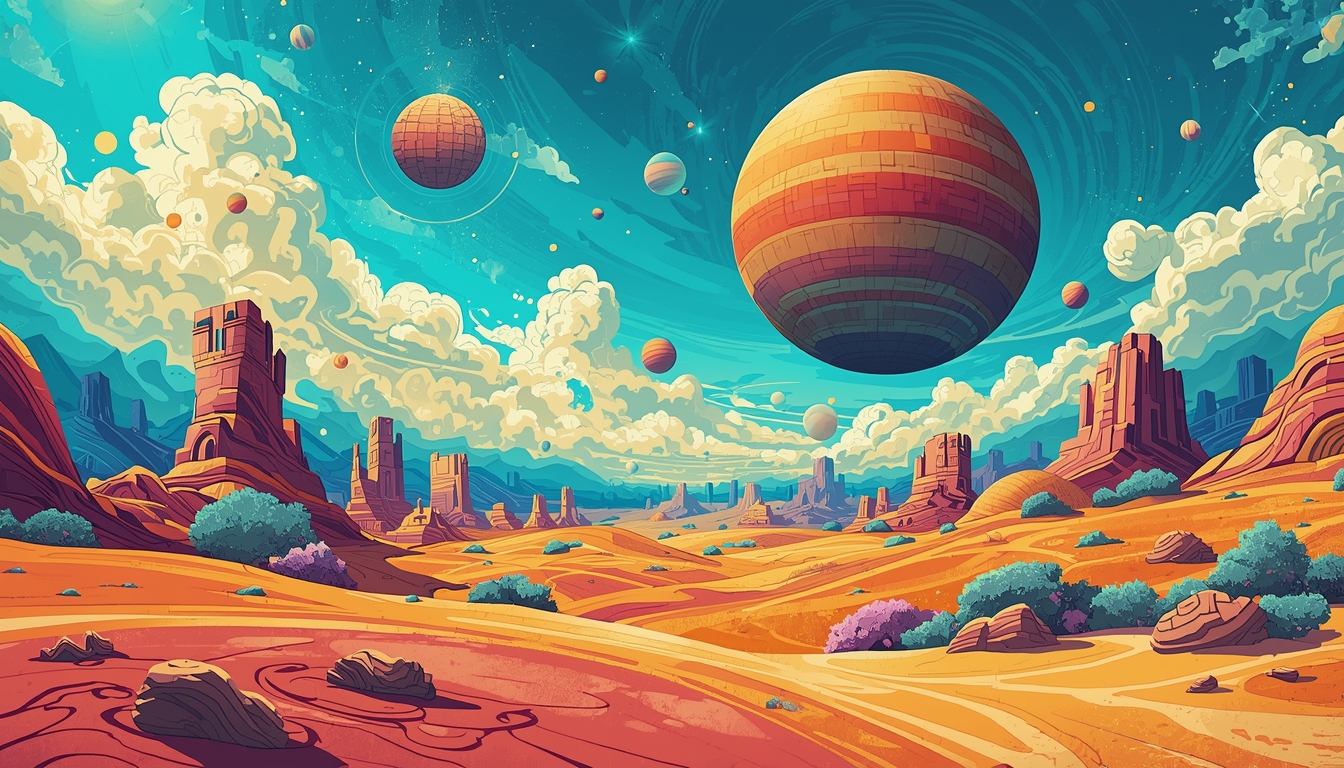
AI image generation has become incredibly versatile. One exciting trend is hybrid images, where part of the image looks like a real photograph while the other part is cartoonish or surreal. These images can be used for storytelling, digital art, social media posts, or concept designs.
This guide will explain how to create AI prompts for hybrid images, along with ready-to-use examples for immediate results.
1. Understanding Hybrid Cartoon & Real Images
A hybrid AI image combines two distinct visual styles in one frame:
- Realistic Side – Captures photorealistic details, like textures, lighting, and shadows.
- Cartoon/Surreal Side – Adds exaggerated, whimsical, or artistic features, often with bold colors, imaginative shapes, or fantasy elements.
The key to success is balance. If the styles clash too much, AI may blur or merge them unnaturally. The right prompt clearly defines each side, often using words like “split composition”, “half-realistic, half-cartoon”, or “dual-style”.
2. Anatomy of a Hybrid Image Prompt
A strong prompt for this style includes:
- Main Subject – Who or what is in the image
- Composition / Split – Which side is real, which side is cartoon
- Style Descriptions – Photorealistic, cartoon, surreal, fantasy
- Lighting & Mood – Ensures both styles look harmonious
- Camera / Perspective – Angle, lens, or depth-of-field instructions
- Enhancements / Details – Optional effects like bokeh, glow, or painterly textures
Prompt Formula:
[Main subject] in [split composition: left side real photo, right side cartoon/surreal], [Lighting & mood], [Camera angle/lens], [Style/Artistic description], [Optional enhancements]
3. Tips for Writing Hybrid Prompts
- Specify the Split Clearly – Words like “half-and-half”, “split composition”, or “dual-style” help AI understand which parts to render differently.
- Use Style References – Mention famous artists, animation styles, or cinematic effects.
- Keep the Subject Simple – Complex subjects may confuse the AI when merging two styles.
- Use Color & Mood – Harmonize the real and cartoon sides through lighting or complementary colors.
- Experiment with Perspective – Side-by-side split, diagonal split, or mirrored styles can create unique results.
4. 3–4 Ready-to-Use Hybrid Prompts
Here are 3–4 tested prompts for generating half-real, half-cartoon AI images:
Prompt 1: Cityscape Split Real & Cartoon
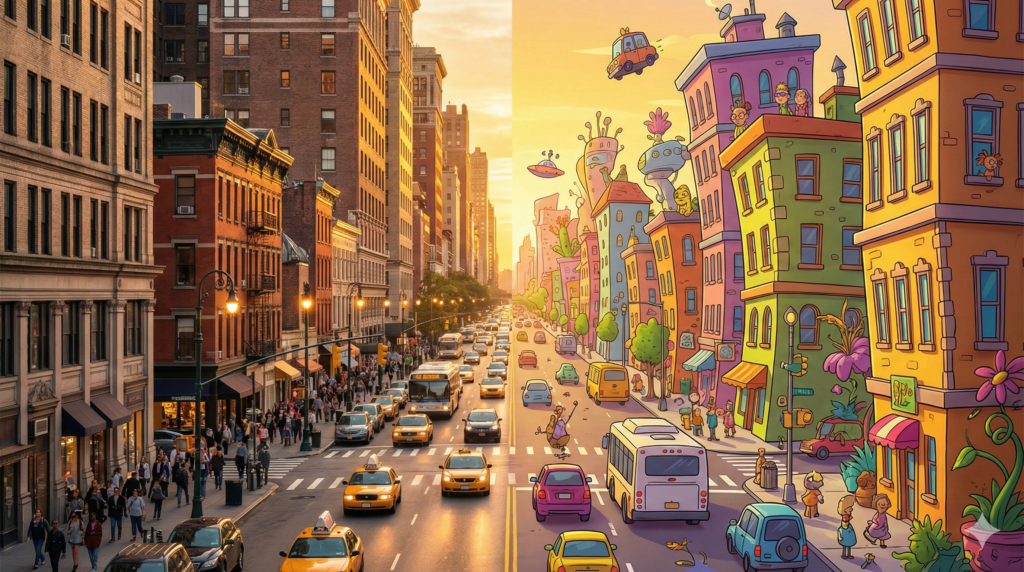
A bustling city street, left side photorealistic with realistic people, cars, and streetlights, right side colorful cartoon style with exaggerated buildings and whimsical characters, golden hour lighting, wide-angle lens, cinematic split composition, ultra-detailed 8k, vibrant colors, balanced shadows and highlights
Why it works:
- Subject: City street
- Split: Left = real, Right = cartoon
- Mood: Golden hour, warm cinematic lighting
- Style: Ultra-detailed 8k, vibrant cartoon side
- Composition: Split composition, wide-angle
Prompt 2: Surreal Forest Hybrid
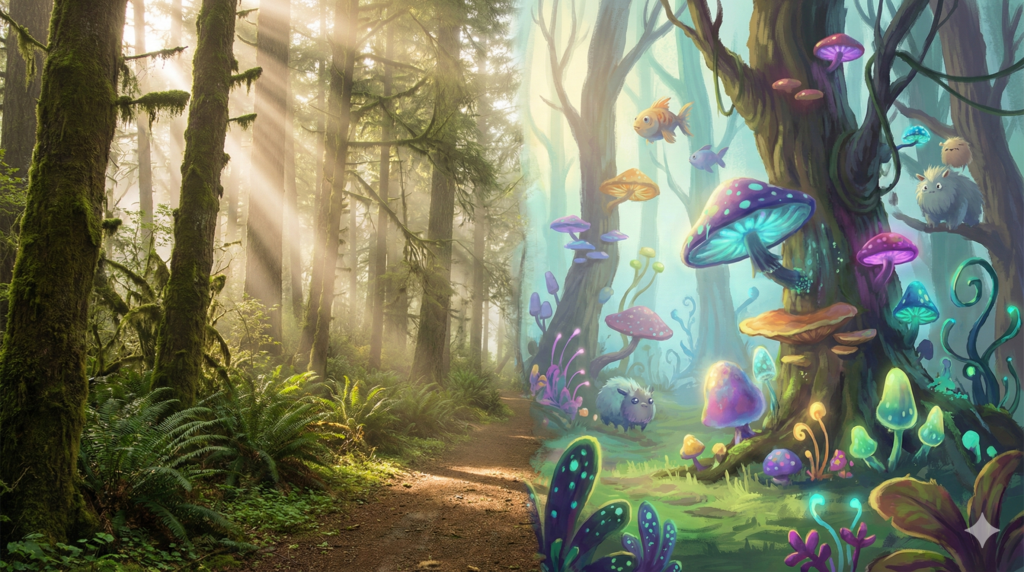
A magical forest scene, left side realistic with photorealistic trees, sunlight, and mist, right side surreal cartoon style with floating colorful mushrooms, glowing plants, and whimsical creatures, soft morning light, medium shot, cinematic depth of field, painterly textures, harmonious color palette
Why it works:
- Subject: Forest
- Split: Left = realistic, Right = surreal cartoon
- Mood: Soft, magical lighting
- Style: Painterly textures, harmonious colors
- Enhancements: Depth of field, glowing effects
Prompt 3: Character Portrait Dual Style
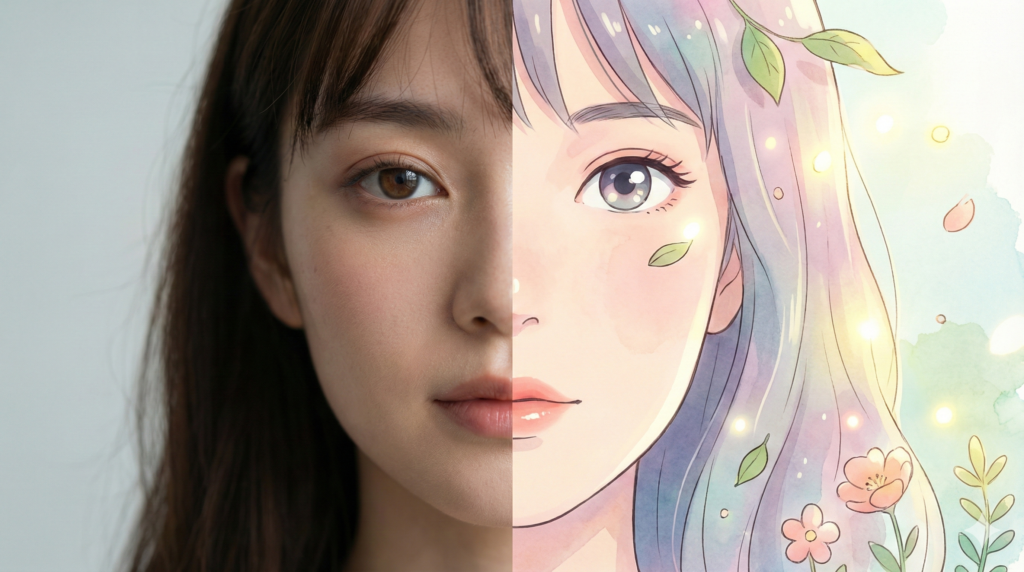
Portrait of a young woman, left side photorealistic with realistic skin textures, hair, and subtle makeup, right side cartoon style inspired by Studio Ghibli, large expressive eyes, soft pastel colors, cinematic lighting, close-up shot, ultra-realistic 8k render, balanced composition
Why it works:
- Subject: Portrait
- Split: Left = real, Right = cartoon (Ghibli style)
- Mood: Soft, cinematic lighting
- Style: Ultra-realistic on one side, expressive cartoon on the other
- Camera: Close-up shot
Prompt 4: Hybrid Animal Scene (Optional)
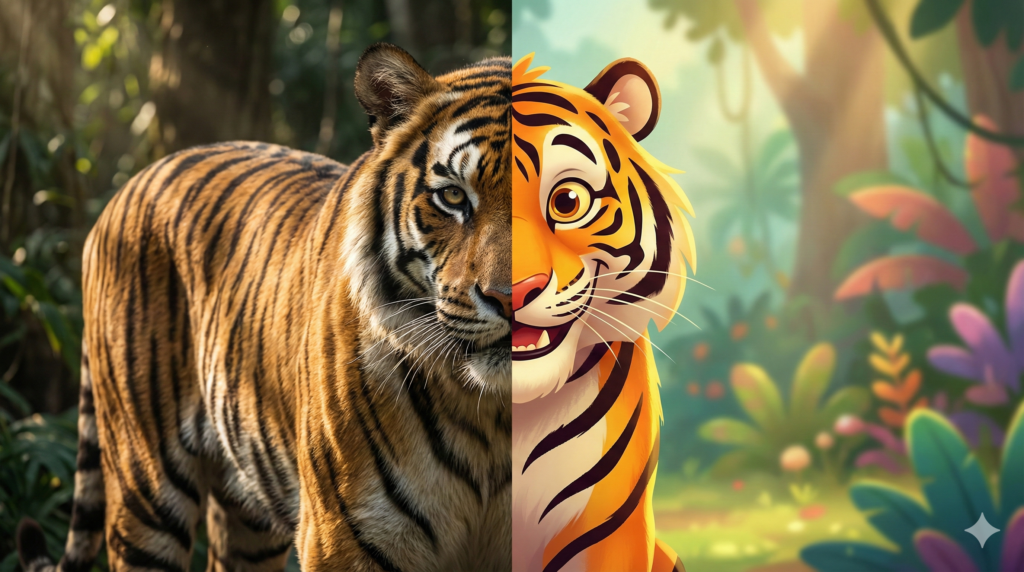
A majestic tiger, left side realistic with lifelike fur, muscles, and shadows, right side cartoonish with exaggerated stripes, vibrant colors, playful expression, jungle background, morning sunlight, cinematic angle, ultra-detailed 8k, dual-style composition, soft focus on cartoon side
Why it works:
- Subject: Tiger
- Split: Left = real, Right = cartoon
- Mood: Morning sunlight, playful cartoon vibe
- Style: Ultra-detailed 8k, cinematic composition
- Enhancements: Soft focus, vibrant colors
5. Best Practices for Hybrid AI Images
- Start Simple – Begin with one subject and one clear split. You can add complexity later.
- Iterate Gradually – Minor adjustments to adjectives or split orientation can significantly improve results.
- Focus on Lighting Harmony – Even with two styles, keep shadows and light consistent to avoid disjointed images.
- Use High Resolution – Prompts like “8k”, “ultra-detailed” or “cinematic” improve AI fidelity.
- Experiment with Perspective – Try side-by-side, diagonal, or mirrored styles for creative visuals.
6. Applications of Hybrid Images
Hybrid images are highly versatile:
- Social Media Content – Eye-catching posts for Instagram or Pinterest
- Story Illustrations – Books or comics blending real-world references with imaginative visuals
- Digital Art & NFTs – Unique artwork combining photorealism and creativity
- Marketing & Posters – Surreal elements catch attention while keeping realism grounded
7. Conclusion
Creating hybrid AI images—half-real, half-cartoon—is both an art and a science. By clearly specifying the split, using complementary lighting, and choosing your subject wisely, you can generate stunning, unique images that engage viewers and stand out online.
Key Takeaways:
- Define split composition clearly: left/right, diagonal, or mirrored
- Balance styles with harmonious lighting and colors
- Use references for both realism and cartoon/surreal styles
- Start simple, iterate, and experiment with camera angles and depth
With the 3–4 prompts provided, you can immediately start generating hybrid images with AI, perfect for personal projects, social media, or creative storytelling.
Remember: AI mirrors the clarity and detail of your prompt. The more precise and vivid your description, the more impressive the final hybrid image will be.