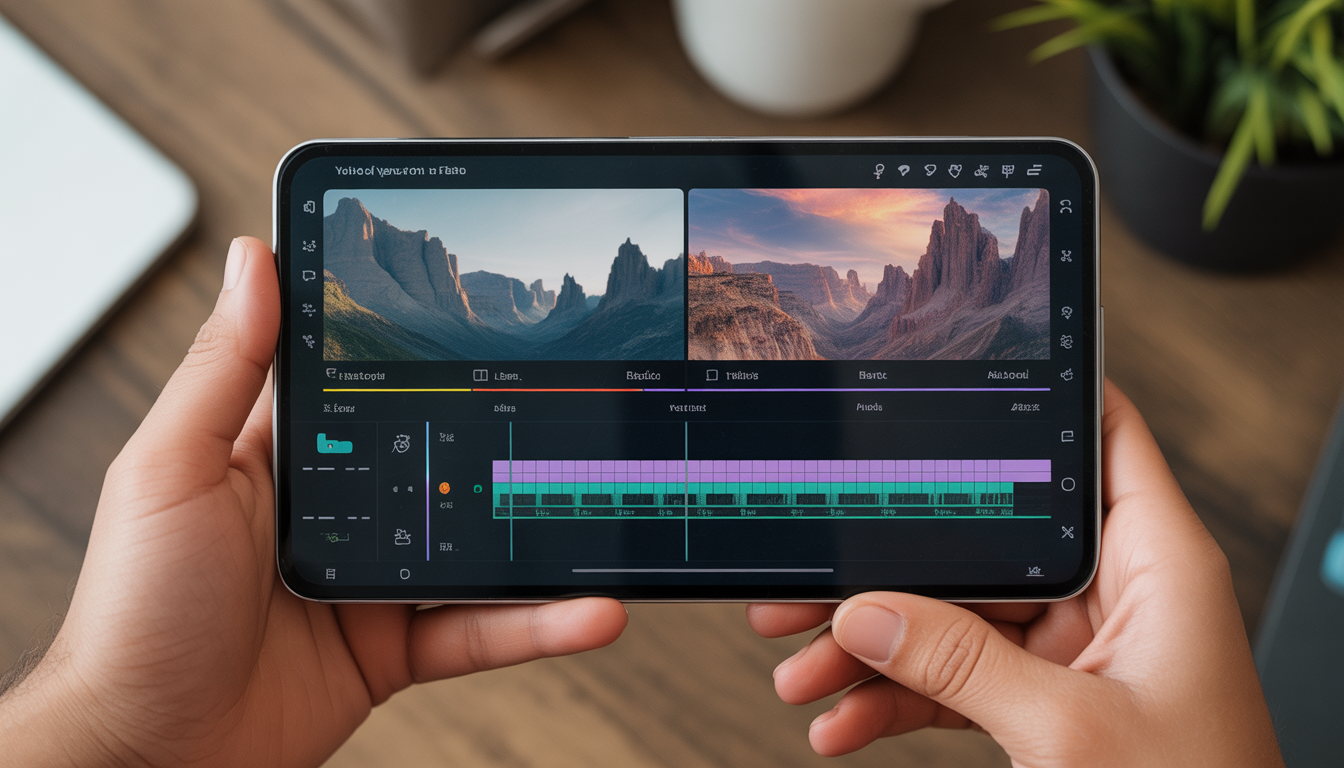
What if I told you that you don’t need a laptop, expensive software, or professional skills to create high-quality videos in 2026?
All you need is your Android phone — and the right AI video editing tool.
For years, video editing felt complicated. It required heavy software, technical knowledge, and hours of manual work. But today, artificial intelligence has completely transformed the process. AI-powered video editing apps can automatically cut silence, generate subtitles, remove backgrounds, enhance voice quality, and even sync music to your video — all within minutes.
If you are an Android user looking for the best free AI video editing tools, this guide will help you choose the perfect one based on your goals.
Let’s dive in.
Why AI Video Editing Is a Game Changer for Android Users
Traditional video editing required manual trimming, color correction, audio balancing, and subtitle creation. It was time-consuming and often overwhelming for beginners.
AI has simplified everything.
Here’s what AI can now do for you:
- Automatically remove silent parts
- Detect faces and focus on subjects
- Generate subtitles instantly
- Enhance voice clarity
- Apply smart transitions
- Sync video clips to music beats
- Auto-adjust brightness and colors
This means faster editing, better results, and less stress — especially for creators who use only a mobile device.
Now let’s explore the best free AI video editing apps available for Android users.
1. CapCut – The Ultimate AI Editor for Viral Content
CapCut has quickly become one of the most popular mobile video editing apps in the world. It is especially powerful for short-form content creators.
Key AI Features:
- Automatic caption generation
- AI background remover
- Smart auto-cut
- AI-powered templates
- Text-to-speech
- Beat synchronization
CapCut stands out because of its ready-made templates. You simply upload your clips, and the AI automatically applies transitions, effects, and timing adjustments that match trending formats.
Best For:
- Instagram Reels
- YouTube Shorts
- TikTok-style videos
- Trending edits
Pros:
- Beginner-friendly interface
- Fast processing
- Large library of effects
Cons:
- Some advanced features require premium access
- Internet connection required for some tools
If your goal is to create viral short-form videos quickly, CapCut is one of the strongest free options available.
2. VN Editor – Clean, Professional, and Powerful
VN Editor is designed for creators who want more control without overwhelming complexity.
Unlike template-heavy apps, VN focuses on structured editing with a professional timeline layout.
AI & Smart Features:
- Smart cut tool
- Multi-layer timeline
- Speed ramp control
- Automatic subtitle support
- Advanced transition controls
VN Editor allows detailed editing similar to desktop software, but optimized for mobile use.
Best For:
- YouTube long-form videos
- Educational content
- Vlogs
- Cinematic edits
Pros:
- No major watermark issues
- Professional editing layout
- Strong export quality
Cons:
- Slight learning curve for beginners
- Fewer viral templates compared to CapCut
If you want creative freedom and cleaner editing control, VN Editor is a great choice.
3. InShot – Simple, Fast, and Social Media Ready
InShot is known for its simplicity. It is ideal for creators who want quick edits without spending hours learning features.
AI Features:
- Smart trimming
- AI filters
- Background blur
- Automatic music synchronization
The interface is intuitive, making it easy for beginners to start editing within minutes.
Best For:
- Instagram posts
- Motivational videos
- Quick promotional clips
- Short social media content
Pros:
- Very easy to use
- Fast export
- Great for beginners
Cons:
- Watermark in free version
- Limited advanced editing tools
If your priority is speed and simplicity, InShot delivers solid results.
4. KineMaster – Advanced Editing on Mobile
KineMaster is ideal for creators who want advanced editing features directly on their Android device.
It offers a layer-based editing system similar to professional desktop software.
Features:
- Multi-layer video editing
- Chroma key (green screen support)
- Blending modes
- Audio effects
- Voice changer
Although not fully AI-driven like CapCut, KineMaster provides powerful tools that allow detailed creative control.
Best For:
- Story-based content
- Educational tutorials
- Creative projects
- Professional-style edits
Pros:
- Advanced editing tools
- Detailed customization
- Strong creative flexibility
Cons:
- Watermark in free version
- Heavy app for low-RAM devices
If you want to grow into professional-level editing using only your phone, KineMaster is a strong platform to practice on.
5. YouCut – Lightweight and Beginner Friendly
If you have a basic Android phone or limited storage space, YouCut is a reliable option.
It is simple, smooth, and optimized for performance.
Features:
- No watermark for basic exports
- Easy trim and cut tools
- Simple transitions
- Music integration
While it does not offer advanced AI automation, it is stable and easy to use.
Best For:
- Beginners
- Low-storage devices
- Simple edits
- Casual creators
Pros:
- Lightweight app
- No heavy processing
- Easy interface
Cons:
- Limited advanced AI features
- Fewer professional tools
YouCut is perfect if you want basic editing without slowing down your device.
How to Choose the Right AI Video Editing App
Choosing the right app depends entirely on your goals.
If you want:
- Viral short videos → Choose CapCut
- YouTube long-form content → Choose VN Editor
- Fast social media posts → Choose InShot
- Advanced professional-style editing → Choose KineMaster
- Lightweight performance → Choose YouCut
Always select your tool based on content type, not popularity alone.
Pro Tips to Improve Your Mobile Videos
Regardless of the app you use, follow these tips:
- Grab attention in the first 3 seconds
- Always add captions (most users watch without sound)
- Keep background music at low volume
- Export in at least 1080p resolution
- Use clear audio
- Avoid overusing effects
- Focus on storytelling
AI tools enhance your content — but strong content always wins.
Common Mistakes Android Creators Make
Many creators rely too heavily on effects instead of focusing on value.
Avoid these mistakes:
- Over-editing with too many transitions
- Ignoring audio quality
- Using low-resolution exports
- Copying trends without originality
- Skipping thumbnails
Remember: Editing supports your message. It does not replace it.
The Future of AI Video Editing on Android
AI video editing is evolving rapidly.
In the near future, Android apps may offer:
- Full automatic editing from raw clips
- Script-to-video generation
- AI voice cloning
- Automatic thumbnail creation
- Smart viral format detection
This means mobile creators will have even more opportunities to compete with desktop-level production.
Final Verdict
You no longer need expensive software or powerful computers to create professional videos.
With the right free AI video editing tool, your Android phone can become a complete content creation studio.
Start simple. Stay consistent. Improve gradually.
The tools are free.
The opportunity is real.
The only question is — will you create, or keep scrolling?