Cyber threats such as hacking, phishing, malware, and identity theft are increasing every year. In 2026, protecting your personal data is more important than ever. Whether you use a smartphone, laptop, or desktop computer, cybercriminals can target your passwords, financial information, emails, and personal files.
The good news is that many powerful cybersecurity tools are available for free. These tools help protect your devices, monitor network activity, secure passwords, and block malicious websites.
In this guide, we will explore the best free cybersecurity tools for personal use, their features, and how they help protect your digital life.
1. Avast Free Antivirus
One of the most widely used free cybersecurity tools is Avast Free Antivirus. It provides strong protection against malware, viruses, ransomware, and phishing attacks.
Key Features
- Real-time malware protection
- Wi-Fi network security scanner
- Email and web protection
- Ransomware shield
Avast also includes tools that monitor suspicious behavior on your system and help protect your online activities. Millions of users rely on it to keep their devices safe from cyber threats.
2. Avira Free Security
Avira Free Security is another powerful cybersecurity solution that provides multiple security tools in one platform.
Key Features
- Real-time antivirus protection
- Free VPN with limited data
- Password manager
- Software vulnerability scanner
Security tests have shown Avira to have very high malware detection rates, blocking most cyber threats effectively.
3. Bitwarden
One of the biggest cybersecurity risks is weak or reused passwords. Bitwarden is a free password manager that helps users create and store strong passwords securely.
Key Features
- End-to-end encrypted password storage
- Cross-device syncing
- Secure password generator
- Autofill login credentials
Password managers are considered essential security tools because they help prevent account hacking caused by weak passwords.
4. KeePass
KeePass is a popular open-source password manager designed for maximum security. Instead of storing passwords online, KeePass keeps them inside an encrypted local database protected by a master password.
Key Features
- Fully offline password storage
- AES-encrypted password database
- Plugin support for extra features
- Completely free and open-source
Many cybersecurity experts prefer KeePass because users maintain full control over their password data.
5. Proton Pass
Proton Pass is a privacy-focused password manager developed by Proton, a company known for secure communication services.
Key Features
- End-to-end encryption
- Secure vault for passwords and notes
- Email alias protection
- Browser extensions
It encrypts stored data using strong encryption methods and supports passkeys, passwords, and secure notes.
6. Wireshark
Wireshark is a powerful open-source tool used to analyze network traffic.
Although it is commonly used by IT professionals, it can also help individuals understand and monitor suspicious internet activity.
Key Features
- Deep packet inspection
- Real-time network monitoring
- Detection of suspicious network behavior
- Protocol troubleshooting
Wireshark allows users to capture and analyze network packets, making it useful for diagnosing security issues or network problems.
7. ClamAV
ClamAV is a free open-source antivirus engine used to detect malware and infected files.
Key Features
- Malware detection engine
- Email scanning capabilities
- Cross-platform compatibility
- Frequent virus definition updates
It is widely used on servers and Linux systems to identify malicious files and threats.
8. Malwarebytes
Malwarebytes Free is a popular security tool designed specifically to detect malware, spyware, and potentially unwanted programs.
Key Features
- Malware and spyware removal
- Quick threat scans
- Lightweight software
- Compatible with other antivirus programs
Many users install Malwarebytes as a secondary security tool alongside antivirus software.
9. Cloudflare WARP
Cloudflare WARP is a free VPN tool that improves internet privacy and encrypts your online traffic.
Key Features
- Encrypted internet connection
- Protection from network snooping
- Faster DNS performance
- Easy mobile and desktop setup
VPN tools help protect users when browsing on public Wi-Fi networks, which are often targeted by hackers.
10. VirusTotal
VirusTotal is a powerful online tool that scans suspicious files and URLs using multiple antivirus engines simultaneously.
Key Features
- File and URL malware scanning
- Analysis using dozens of antivirus engines
- Threat intelligence reports
- Browser extensions
This tool is extremely useful for checking suspicious downloads before opening them.
Why Personal Cybersecurity Tools Are Important
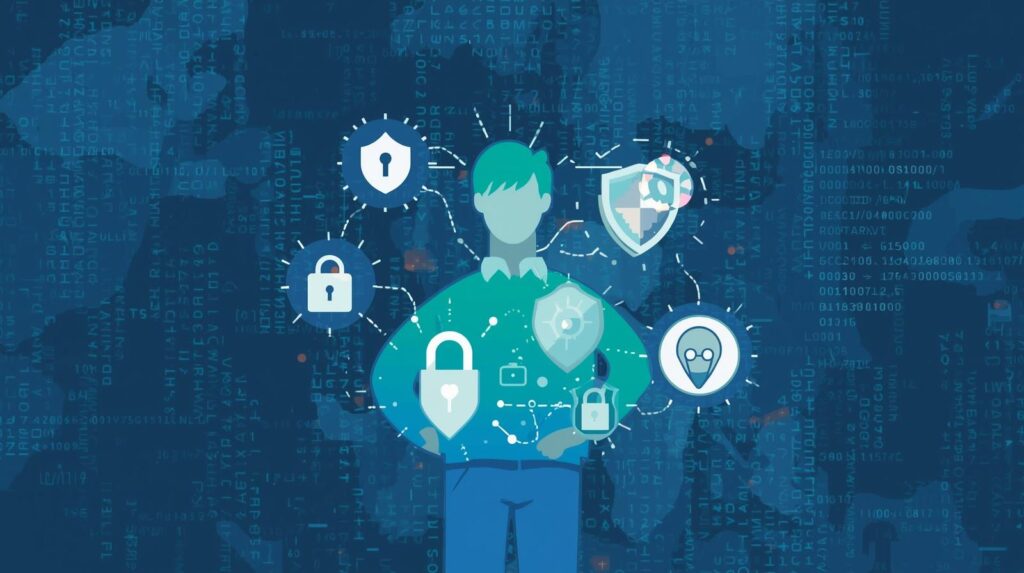
Cybersecurity tools protect users from many common online threats, including:
- Malware and viruses
- Phishing attacks
- Identity theft
- Password hacking
- Data breaches
Experts recommend combining several security tools—such as antivirus software, password managers, and VPNs—to build a layered defense system.
Essential Cybersecurity Practices
Using security tools is important, but personal habits also play a major role in staying safe online.
Use strong passwords
Avoid simple passwords and use password managers to generate secure ones.
Enable two-factor authentication (2FA)
This adds an extra layer of security to online accounts.
Update software regularly
Software updates often include security patches that fix vulnerabilities.
Avoid suspicious links
Many cyberattacks start with phishing emails or malicious websites.
Conclusion
Cybersecurity is no longer just an issue for large companies—every internet user needs protection. Fortunately, many powerful cybersecurity tools are available for free.
Tools like Avast Free Antivirus, Bitwarden, KeePass, Malwarebytes, and Wireshark provide essential protection against common cyber threats.
By combining these tools with good security habits, individuals can significantly reduce the risk of hacking, malware infections, and data theft.
In 2026 and beyond, building strong cybersecurity awareness will be one of the most important steps toward staying safe in the digital world.